When I first started using Notion, I spent far too much time building complicated dashboards.
They looked impressive.
They had dozens of databases, linked views, and automation ideas.
The problem was that I rarely used most of them.
Over time, I simplified everything and focused on a handful of templates that genuinely help me stay organized while traveling and working remotely.
These are the Notion templates I still use today.
My Travel Dashboard
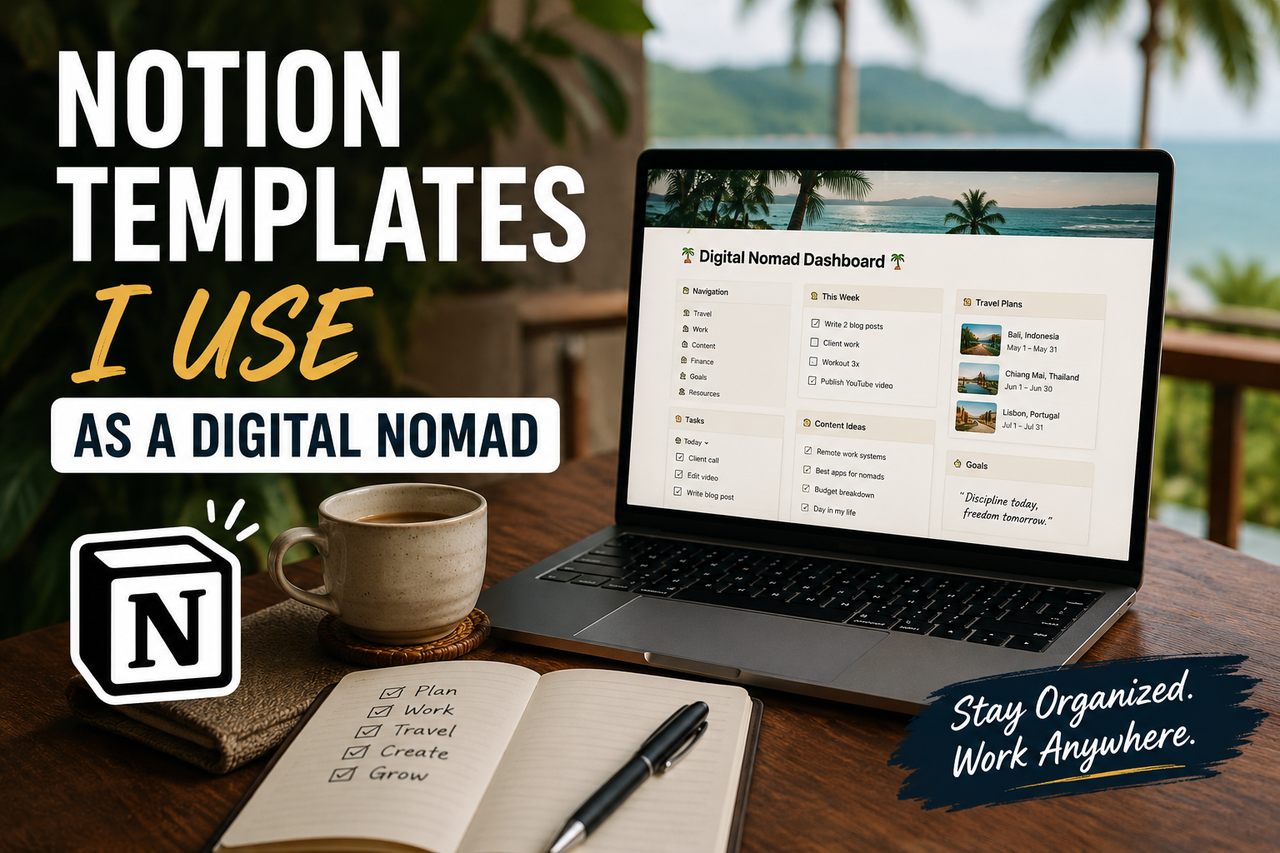
This is the first page I open when planning a trip.
Instead of keeping flight information, accommodation details, and travel notes scattered across different apps, everything lives in one place.
What I track:
- Flight details
- Accommodation bookings
- Visa information
- Transportation notes
- Places I want to visit
It's simply to know where important information is when I need it.
Weekly Planning Template
Long-term travel can make time feel strangely unstructured.
Days blend together, and it's easy to lose track of priorities.
To avoid that, I use a simple weekly planning page.
Sections include:
- Top priorities
- Tasks for the week
- Personal goals
- Travel logistics
- Notes and reminders
Nothing fancy—just enough structure to stay focused.
Content Ideas Database
One of the biggest challenges while traveling is remembering ideas.
A good idea in a café today can disappear completely by tomorrow.
That's why I keep a dedicated content database.
Whenever an idea appears, I add:
- Working title
- Category
- Quick notes
- Status
Destination Notes Template
Every destination teaches you something.
Good cafés.
Useful travel tips.
Neighborhoods worth revisiting.
Mistakes to avoid.
I keep all of these notes in a destination database.
Each city gets its own page where I can save information for future trips.
Over time, this has become more useful than any travel guidebook.
Simple Task Manager
I used to experiment with complicated productivity systems.
Kanban boards.
Priority matrices.
Advanced workflows.
Eventually, I realized I only needed three categories:
Today
Tasks that must be completed.
This Week
Important but not urgent tasks.
Later
Everything else.
This simple structure is easier to maintain and much more realistic while traveling.
Reading and Learning List
I read regularly while traveling, especially during flights and slower travel days.
Instead of saving recommendations in random places, I keep a reading database.
What I save:
- Books to read
- Articles worth revisiting
- Podcasts
- Courses
Why I Prefer Simple Templates
The biggest lesson I've learned from using Notion is that complexity doesn't automatically create productivity.
In fact, the opposite is often true.
The more complicated a system becomes, the more maintenance it requires.
The templates I continue using share three characteristics:
- Easy to update
- Fast to access
- Useful every week
The Tools That Work Alongside Notion
Notion is the center of my organization system, but it isn't the only tool I rely on.
For mobile productivity and travel management, I regularly use the apps listed in:
👉 Essential iPhone Apps for Digital Nomads in 2026
And for staying focused while working remotely, many of my planning systems connect to the workflow I described in:
What My Notion Setup Looks Like Today
Compared to my early Notion experiments, my current setup is surprisingly small.
I use:
- One travel dashboard
- One weekly planner
- One content database
- One destination notes system
- One task manager
- One reading list
No complicated automation.
No massive dashboards.
No endless customization.
Just a few templates that make travel and remote work easier to manage.
And after years of tweaking productivity systems, that's exactly what I wanted.